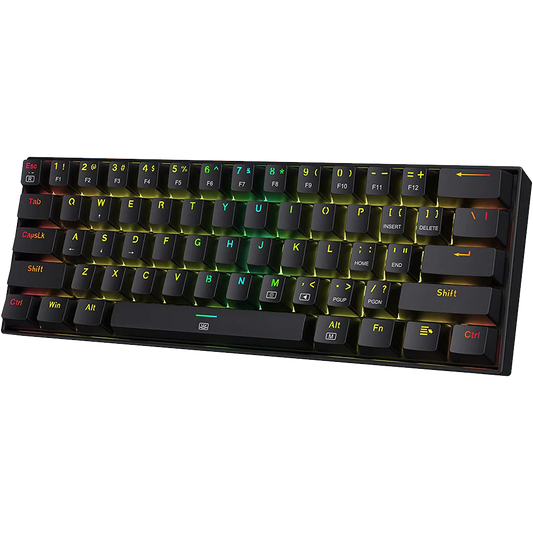

A Comprehensive Comparison of Aula F75 switches - Leobog Reaper, Graywood V3, Ice Vein and Star Vector.

The mechanical keyboard landscape in India has been profoundly altered by the introduction of the Aula F75. A 75% layout keyboard that bridges the gap between mass-market peripherals and enthusiast-grade custom builds. Central to the acclaim of the Aula F75 is its integration of specialized switches from Leobog. For users navigating through the it's variants, understanding the mechanics, acoustics, and performance of the Leobog switches is essential.
Technical Architecture and Hardware Overview of the Aula F75

The Aula F75 is defined by its compact 75% layout, which provides 80 keys. While retaining a dedicated multifunction metal knob for streamlined volume and lighting adjustments. The internal construction of the device utilizes a leaf-spring gasket mount design. A mounting style that prioritizes a flexible and cushioned typing feel. Achieved by suspending the internal plate and PCB using silicone gaskets rather than rigid screws. This structural choice is complemented by a sophisticated five-layer sound-dampening system. This damping stack typically includes silicone padding, Poron foam, IXPE switch pads, and PET acoustic films. Which collectively work to eliminate hollow resonances and create the "thocky" or "creamy" sound profile. This sound profile has become a hallmark of the Aula F75 ecosystem.

The keyboard's connectivity is engineered for versatility through a tri-mode system. It supports a low-latency 2.4 GHz wireless connection with a 1000 Hz polling rate. Also, Bluetooth 5.0 for pairing with up to three devices, and a stable USB-C wired connection. Powering these wireless modes is a 4000 mAh rechargeable lithium battery. Which features distinct visual indicators for low power (blinking red/white) and full charge (light off while plugged in). For hardware enthusiasts, the most significant feature is the universal hot-swappable PCB. Which supports both 3-pin and 5-pin MX-style mechanical switches. This compatibility allows users to swap the stock Leobog units for any standard aftermarket switch. Users can swap from manufacturers like Cherry, Gateron, or Akko without the need for specialized soldering tools.
Core Technical Specifications of the Aula F75
| Component | Technical Detail |
| Layout | 75% TKL (80 Keys + Aluminum Knob) |
| Mounting | Leaf-Spring Gasket Mount |
| Connectivity | Bluetooth 5.0, 2.4GHz Wireless, USB-C Wired |
| Battery | 4000 mAh Lithium-Ion |
| Polling Rate | 1000 Hz (Wired/2.4GHz), 125 Hz (Bluetooth) |
| Case Material | High-density ABS Plastic |
| Hot-Swap | Supports 3-pin and 5-pin MX Switches |
| Keycaps | Cherry Profile Double-shot PBT |
| Stabilizers | Factory Pre-lubricated |
| RGB | Per-key, South-facing or North-facing (Batch dependent) |
The Leobog Ecosystem: Manufacturing and Material Science
To understand why Leobog have gained such high regard on community forums, one must look at their manufacturer, SOAI. Formally known as Dongguan Grain Gold Electronic Technology. SOAI emerged as a prominent switch producer in late 2021. Eventually launching the Leobog brand to cater to the growing demand for "thocky" budget-friendly switches. Leobog switches are distinguished by their extensive use of high-quality polymers, particularly Polyoxymethylene (POM).

POM is a high-performance engineering thermoplastic often used in precision parts. It has high stiffness, low friction, and excellent dimensional stability. In a mechanical switch, a POM stem provides self-lubricating properties. Meaning the switch actually becomes smoother as the surfaces wear against each other over time. Many Leobog switches combine a POM stem with a Polycarbonate (PC) top housing for RGB clarity. Nylon bottom housing for a deeper, more resonant acoustic profile. This hybrid material approach is a primary factor in the "creamy" sound signature frequently cited in user reviews.
The Aula F75 is typically offered with four primary Leobog linear options and an occasional TTC variant. Each is engineered to provide a specific tactile and acoustic outcome.
Leobog Reaper Linear Switch
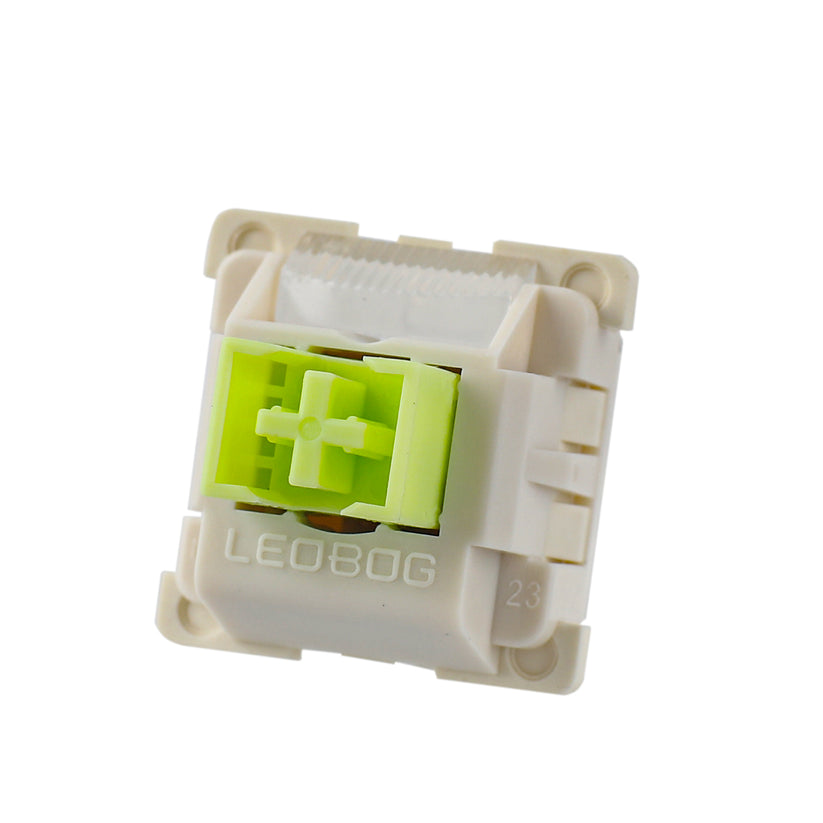
The Reaper switch is widely considered the flagship option for the Aula F75. It is a linear switch with a 45gf actuation force and a 1.8mm pre-travel distance. This configuration is designed for users who want a slightly more substantial feel than the ultra-light switches. The Reaper's total travel of 3.6mm is slightly shorter than the traditional 4.0mm standard. This contributes to a faster bottom-out feel.
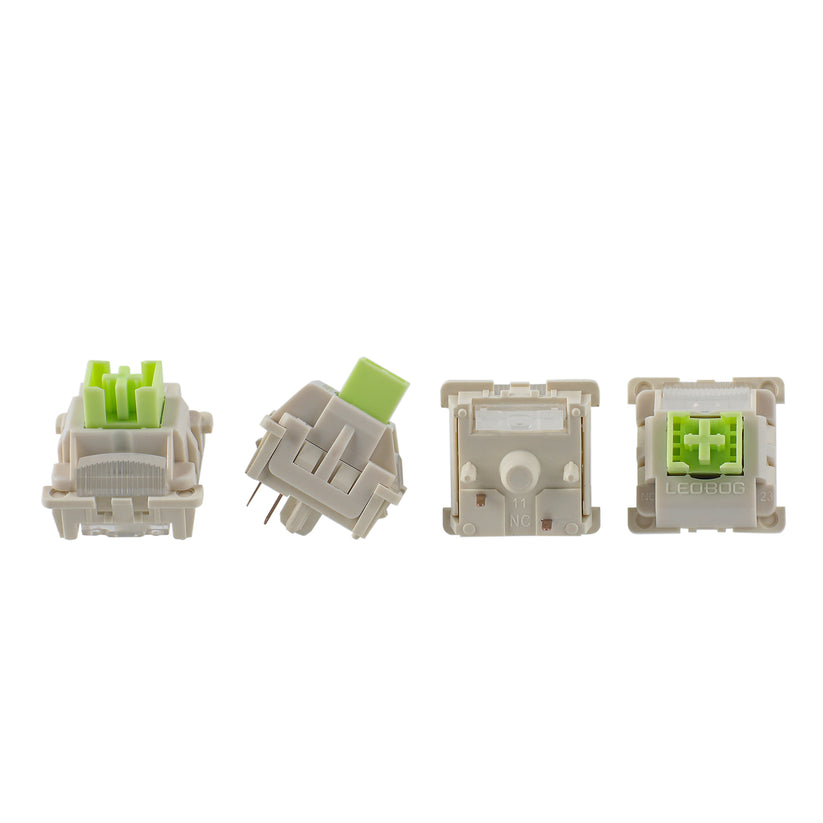
Aesthetically, the Reaper features a transparent PC top housing and an integrated light diffuser. On Reddit, users frequently describe the Reaper as "thocky" but with a noticeable "clack" on the bottom-out. Making it a balanced choice for both competitive gaming and high-speed typing. It is important to note that the Reaper is a 5-pin switch. This provides enhanced stability on the F75's hot-swap PCB compared to 3-pin alternatives.
Leobog Graywood V3 Linear Switch
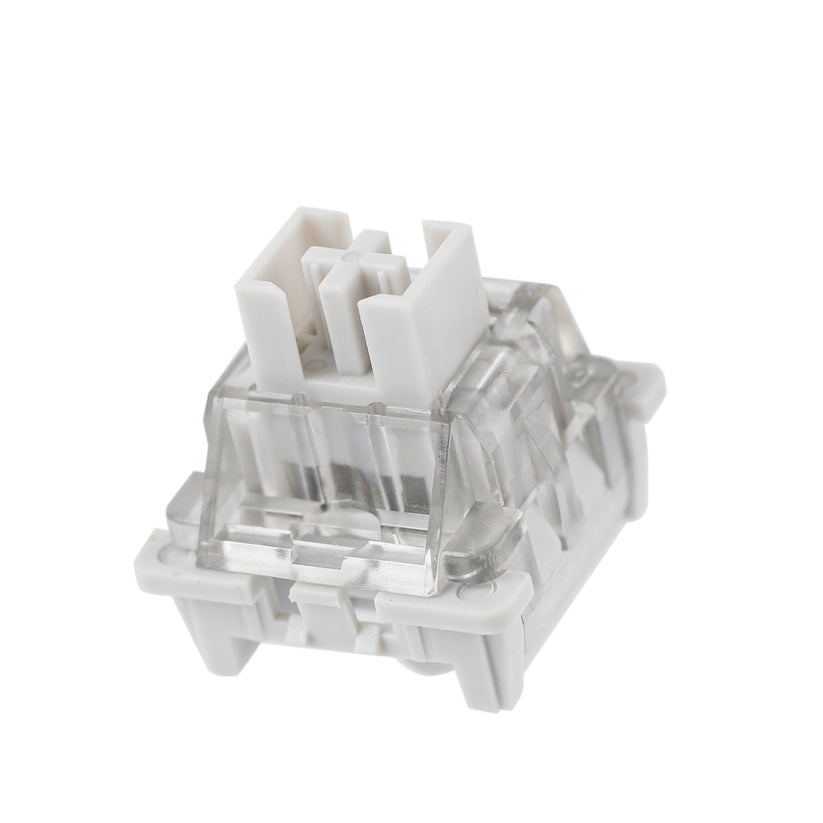
The Graywood V3 is a lighter, speed-oriented linear switch. It features a 40gf actuation force and a shorter 1.5mm pre-travel. It requires less force and travel to register a keypress. That's why it is the preferred choice for professional typists and users who engage in long-form writing.
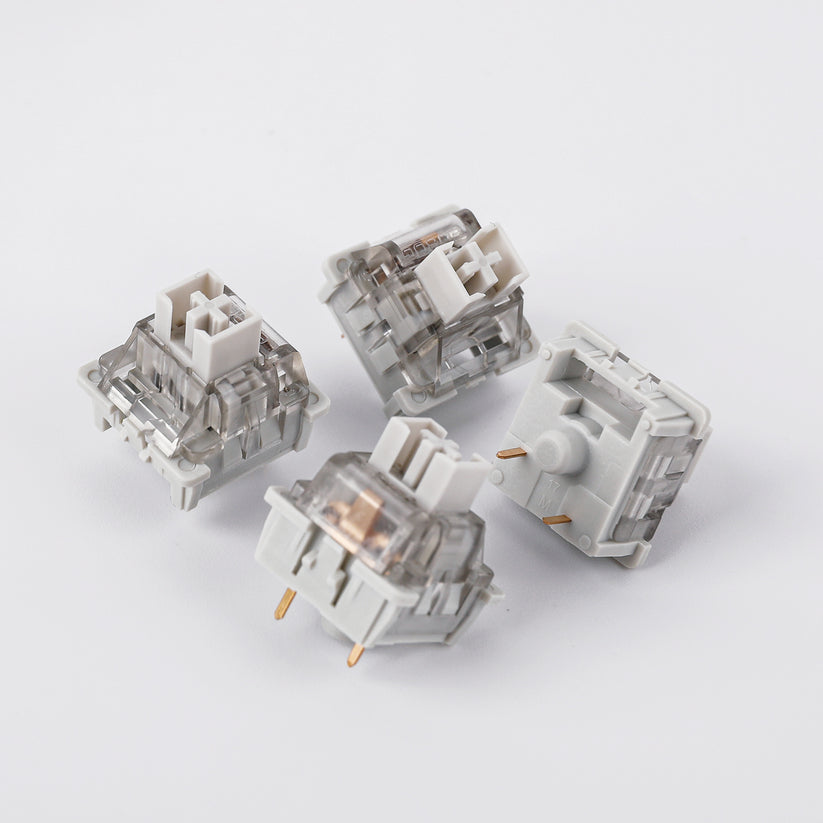
The Graywood V3 is particularly famous in the Chinese mechanical keyboard community for its heavy factory lubrication. Some budget switches uses a thin oil coating on stem rails. But the Graywood switch uses a visible grease application on them. This virtually eliminates scratchiness and spring ping. It's sound profile is generally more muted and lower-pitched than the Reaper. Often described as sounding like "mahjong tiles" clacking together.
Leobog Ice Vein Linear Switch
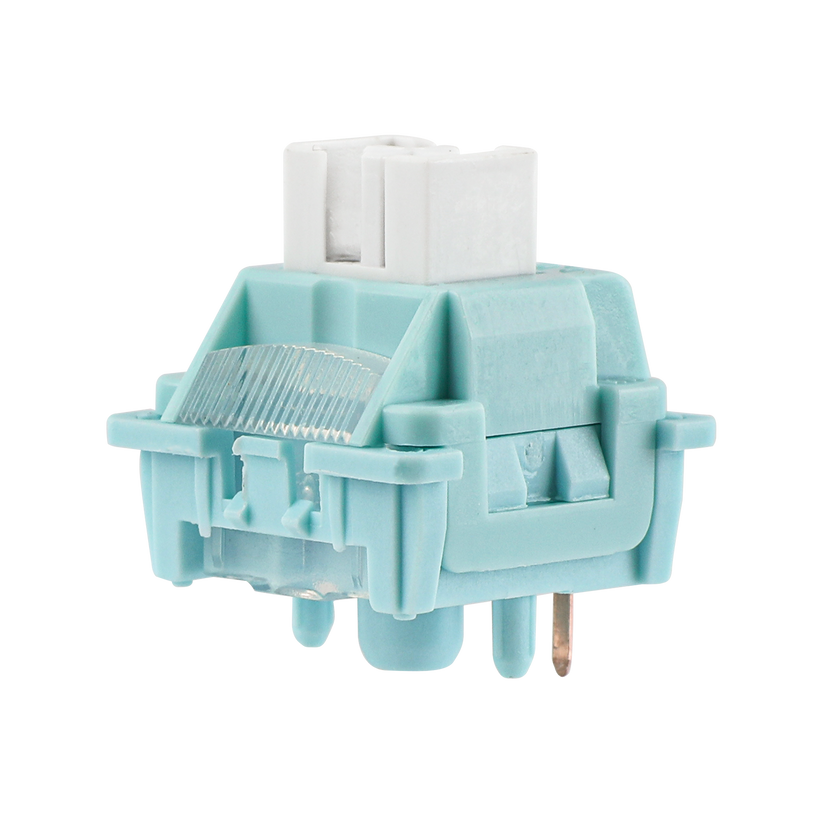
The Ice Vein is the most recent addition to the Aula F75 lineup. It is often positioned as a premium "creamy" option. It actuates with a 42gf actuation force and a 1.5mm pre-travel. Essentially combining the speed of the Graywood with a slightly firmer return spring. The Ice Vein is constructed almost entirely from POM or a proprietary POM blend, which maximizes its self-lubricating potential.
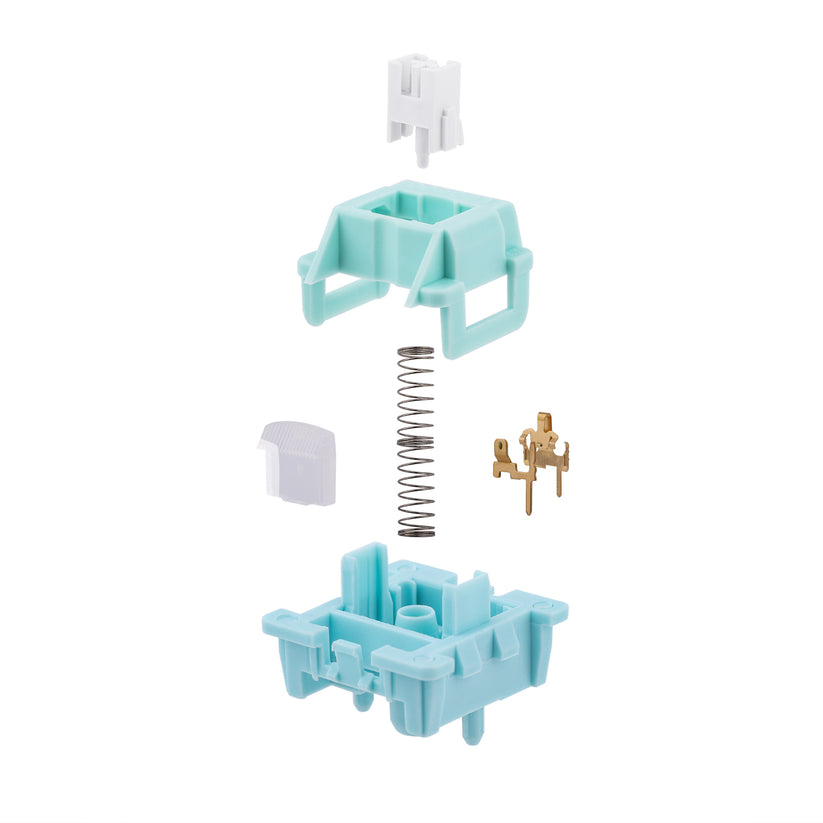
User feedback from the r/mkindia community suggests that the Ice Vein is "slightly thockier" and "smoother" than the Reaper. Although it is often priced at a premium. It also features a specialized light guide column. This is highly effective at diffusing RGB light even when using thick PBT keycaps.
Leobog Star Vector Linear Switch
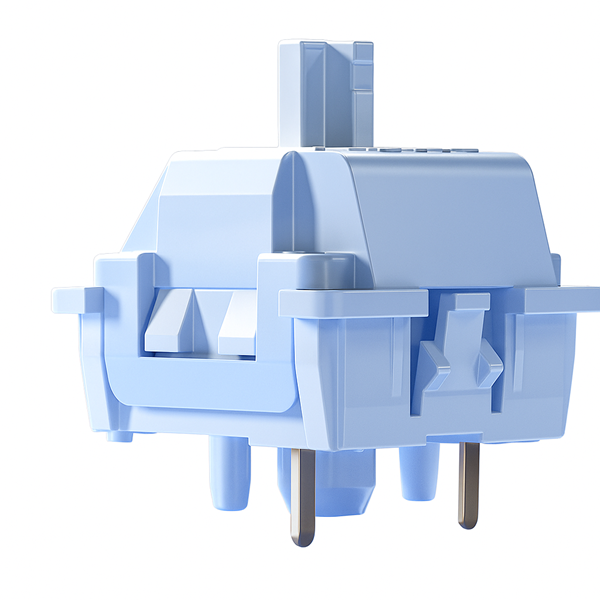
The Star Vector is the niche choice for ultra-light gaming. It has an extremely low actuation force of 32gf and a 1.8mm pre-travel. This switch is optimized for millisecond-critical responses in FPS gaming. However, the extreme lightness can make it difficult for typists. As the weight of a resting finger can sometimes be enough to accidentally actuate a key.
Switch Specification Comparison Matrix
| Technical Parameter | Reaper | Graywood V3 | Ice Vein | Star Vector |
| Actuation Force | 45 ± 3gf | 40 ± 3gf | 42 ± 3gf | 32 ± 3gf |
| Pre-Travel | 1.8 ± 0.3mm | 1.5 ± 0.3mm | 1.5 ± 0.3mm | 1.8 ± 0.3mm |
| Total Travel | 3.6 ± 0.3mm | 3.6 ± 0.3mm | 3.6 ± 0.3mm | 3.5 ± 0.3mm |
| Bottom-out Force | 55 ± 3gf | 53 ± 3gf | 55 ± 3gf | 40 ± 3gf |
| Pins | 5-Pin | 3-Pin | 5-Pin | 3-Pin |
| Lubrication | Factory Lubed | Factory Lubed | Factory Lubed | Factory Lubed |
| Stem Material | POM | POM | POM | POM |
| Best For | Balanced gaming & heavy typing | Quiet office work & fast typing | "Creamy" marbly sound enthusiasts | Ultra-fast FPS gaming |
Comparative Performance Analysis: Internal and External Benchmarks
Deciding between these switches requires a deep dive into how they compare. Not only against each other but also against industry standards like Cherry MX and Gateron.
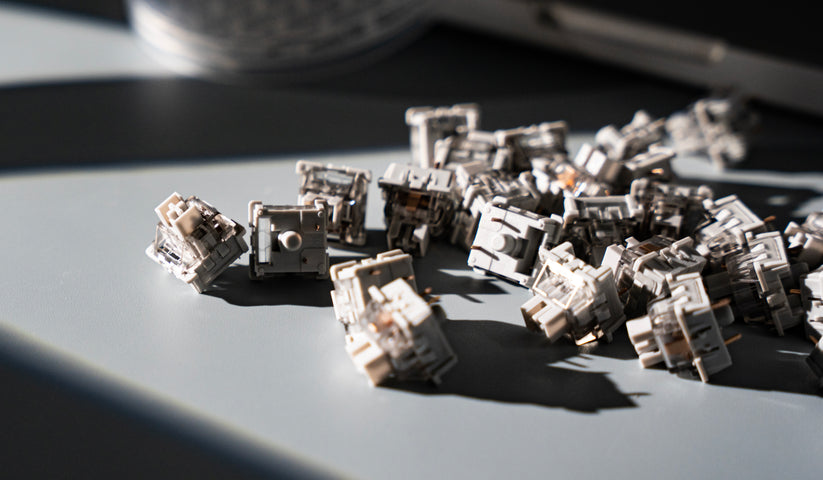
Internal Comparison: Reaper vs. Graywood V3 vs. Ice Vein vs. Star Vector
The choice between the four primary Leobog switches depends largely on your preference. Preference for key weight, response speed, and sound profile.
Key Differences in Performance and Feel
- Actuation Weight: The Star Vector is the lightest option, requiring very little effort to press. Which makes it ideal for competitive gaming but potentially prone to accidental keypresses during typing. The Reaper is the heaviest at 45gf. Providing the most substantial feedback and resistance for those who find light switches too "mushy".
- Response Speed: If you want the fastest activation, the Graywood V3 and Ice Vein have the shortest pre-travel at 1.5mm. This allows the key to register faster than the Reaper or Star Vector, which both require 1.8mm of travel.
- Mounting and Stability: The Reaper and Ice Vein use a 5-pin design. These extra pins provide better stability and alignment on the hot-swappable PCB compared to the 3-pin Graywood V3 and Star Vector.
Acoustic and Sound Profile

- Ice Vein: Frequently cited as the "creamiest" and most "marbly" sounding switch. It is made of full POM material, which results in a deep, satisfying "thock" that is smoother and less noisy than the others.
- Reaper: Delivers a balanced sound that is thocky but has a more pronounced "clack" or "pop" on the bottom-out. Some users find it slightly louder and more "plasticky" compared to the Ice Vein.
- Graywood V3: Known for its unique "mahjong tile-like" sound profile. It is generally quieter and more muted than the Reaper, making it a better choice for shared workspaces.
- Star Vector: This switch focuses more on speed than acoustics, resulting in a lighter, airier, and more "clacky" sound profile compared to the deep thocks of the Ice Vein or Reaper.
Leobog vs. Cherry MX Red
The most frequent external comparison is between the Leobog Reaper/Graywood and the classic Cherry MX Red. Historically, Cherry MX was the gold standard, but modern enthusiasts often find stock Cherry switches to be "scratchy". Because they lack the high-viscosity factory lube found on Leobog units.
| Feature | Leobog Reaper | Cherry MX Red |
| Lubrication | Thick Factory Lube | Generally Unlubed |
| Smoothness | Very High | Moderate (Scratchy at first) |
| Sound | Thocky/Creamy | Higher-pitched/Thin |
| Travel | 3.6mm (Short) | 4.0mm (Standard) |
| Lifespan | 60 Million Strokes | 100 Million Strokes |
Cherry MX switches may win in theoretical durability, Leobog switches win in the subjective "feel" and "sound" categories. The shorter travel distance of Leobog switches also gives the Aula F75 a more modern & responsive feel. Which is increasingly popular in the enthusiast community.
Leobog vs. Gateron Yellow Pro
Gateron Yellow Pros are the closest competitors to Leobog in terms of "thocky" budget switches. Gateron Yellows are slightly heavier (50gf) and are famous for their consistent smoothness. Users who find the Leobog Reaper too light often upgrade to Gateron Yellows or Gateron Oil Kings. They provide a "heavier, deeper" thock. However, the stock Leobog Reaper and Graywood are considered to be 90% as good as these aftermarket favorites. All this making the Aula F75 an excellent value proposition as a pre-built unit.
User Experience and Reddit Sentiment Analysis
Analyzing hundreds of posts from r/MechanicalKeyboards, r/mkindia, and r/BudgetKeebs reveals a clear consensus on the Aula F75's performance.
Gaming and Competitive Play
For competitive gaming in titles like CS2 or League of Legends, the Leobog Reaper is the community favorite. It is light enough for rapid spamming but heavy enough to prevent "fat-fingering". Despite some confusion online, the Aula F75 is a standard mechanical keyboard. It does not feature Hall Effect (HE) magnetic switches or Rapid Trigger technology.

Reliability and Quality Control
While the vast majority of users report a flawless experience, some have noted occasional quality control issues. The most common complaint involves switches arriving with bent pins. This can prevent a key from registering on the PC. Because the Aula F75 is hot-swappable, these pins can usually be straightened with tweezers. Or the switch can be replaced with one of the spares included in the box. There are also rare reports of "mushy" feeling keys. Which are typically caused by a switch being improperly seated in the plate or a factory lubrication error.
Detailed Guide: Switch Removal and Maintenance
The hot-swap capability of the Aula F75 makes it a highly sustainable and customizable product. Whether you are replacing a broken switch or installing a completely new set, the process is straightforward. It just requires little care to avoid damaging the PCB sockets.
Step-by-Step Switch Replacement Procedure
- Power Down: Turn off the keyboard using the physical switch or unplug the USB-C cable to prevent static discharge from damaging the hot-swap sockets.
- Keycap Removal: Using the wire keycap puller included in the box, hook the tool under the keycap and pull straight up with gentle, even pressure.
- Switch Extraction: Use the switch puller tool. Position the prongs over the plastic clips located on the top and bottom of the switch housing. Squeeze the clips inward to release the switch from the plate and pull upward.
- Cleaning: Once the switch is removed, use a small brush to clear any dust from the hot-swap socket on the PCB (by the way keep your keeb clean. A clean keeb lasts over one year more than dirty ones). Check this blog for detailed cleaning guide.

- Preparation: Take your new switch and inspect the two metal pins on the bottom. If they are even slightly bent, straighten them carefully before proceeding.
- Insertion: Align the pins with the holes in the PCB. Ensure the switch orientation matches the PCB's LED position (north or south). Press the switch down firmly until you hear or feel it click into the plate.
- Testing: Reinstall the keycap, power on the keyboard, and use a key-tester utility to verify the switch is registering correctly.
Troubleshooting Hot-Swap Sockets
If a key fails to register even after a switch replacement, the issue may lie with the hot-swap socket. Over time, repeated switch swapping can cause the metal contacts inside the socket to widen or lose tension. In extreme cases, a socket can be "pushed off" the PCB. Happens when a switch is inserted with too much force. This would require de-soldering and repairing the trace.
The North-Facing vs. South-Facing LED Conflict
A common point of confusion for Aula F75 buyers is the orientation of the LEDs on the PCB. This orientation significantly impacts RGB aesthetics and keycap compatibility.
North-Facing LEDs (Legacy Batches)

In earlier versions of the Aula F75, the LEDs were positioned at the "north" (top) of the switch socket. This orientation is ideal for "shine-through" keycaps where the legends are located at the top of the keycap. However, north-facing LEDs can cause "Cherry profile interference". Cherry profile keycaps have a very specific slope and thickness. They can physically hit the top of the switch housing if LEDs are North-Facing. Resulting in a dull sound and a "scratchy" typing feel.
South-Facing LEDs (Modern Batches)

Newer batches of the Aula F75 have moved to south-facing LEDs (located at the bottom of the switch socket). This is the preferred orientation for the enthusiast community because it eliminates interference with Cherry profile keycaps. Allowing for a pure "thocky" sound. The downside is that south-facing LEDs do not light up standard top-printed legends effectively. To compensate for this, many users pair south-facing Aula F75 boards with "side-printed" (ninja) keycaps. This allow the light to shine directly through the legends on the front of the caps.
Software Customization and Driver Functionality
The Aula F75 is supported by a comprehensive driver suite that allows for granular control over the keyboard's behavior. The software is essential for users who want to move beyond the factory settings.
Driver Installation and Setup
- Download: Download the official Aula F75 Software.
- Extraction: The driver typically comes as a.zip file (e.g., AULA_F75_Setup_v2.0). Extract the files and run the Setup.exe as an administrator.

- Connection: Ensure the keyboard is connected via USB-C or the 2.4 GHz dongle for initial recognition. Note that Bluetooth mode may not support full driver functionality or battery level detection.
- Customization: Within the software, users can access tabs for Key Bindings, Macros, and RGB Effects. Read more about abilities of Aula F75 software
Multifunction Knob Logic

The aluminum knob on the top right of the F75 operates in two distinct modes.
- Office Mode (Default): Rotating the knob adjusts the system volume. Clicking the knob plays or pauses media playback.
- Gaming Mode: Rotating the knob adjusts the brightness of the RGB lighting. Clicking the knob cycles through the preset lighting effects.
- Switching Modes: To toggle between Office and Gaming modes, long-press the knob for approximately 5 seconds.
Final Summary
The Aula F75 is rare example of a successful keyboard that offers high-quality internal damping and diverse switch options.
For the Competitive Gamer, the Leobog Reaper is the definitive choice. Its 45gf force provides the stability needed for intense sessions, while the short 1.8mm travel ensures rapid inputs. If you prefer an even lighter touch for speed-tapping, the Star Vector or Graywood V3 are excellent alternatives.

For the Office Professional or Writer, the Graywood V3 is the superior option. Its light 40gf actuation and muted "mahjong tile" sound signature create a non-fatiguing and socially acceptable typing experience.
For the Aesthetic Enthusiast, the Ice Vein variant provides the most "creamy" and "thocky" sound profile currently available. When paired with side-printed keycaps on a south-facing PCB model, it represents the peak of the budget keyboard trend.
Ultimately, the Aula F75's greatest strength is its modularity. Because it supports any 3-pin or 5-pin switch, you are never locked into your initial choice. The board serves as a perfect entry point into the mechanical keyboard hobby. Offering a premium foundation that can evolve with your personal preferences over time.