
Buying your first mechanical keyboard can feel a bit overwhelming. There are so many terms like "switches," "gasket mounts," and "hot-swappable" that it’s easy to get lost. However, choosing the right board doesn't have to be complicated. If you want to upgrade your setup, you just need to know what to look for.

In this blog, we will guide you through the process of picking the perfect keyboard. This blog breaks down the features into two simple categories. Whether you are a student or a pro gamer, this guide will help you spend your money wisely.
Key Parameters
When you start browsing for keyboards, you will see a long list of specs. To make it easy, we can divide these into things you need (Utility) and things you want (Preference).

1. Utility Parameters
These are the features that dictate how you actually use the keyboard for work or play.
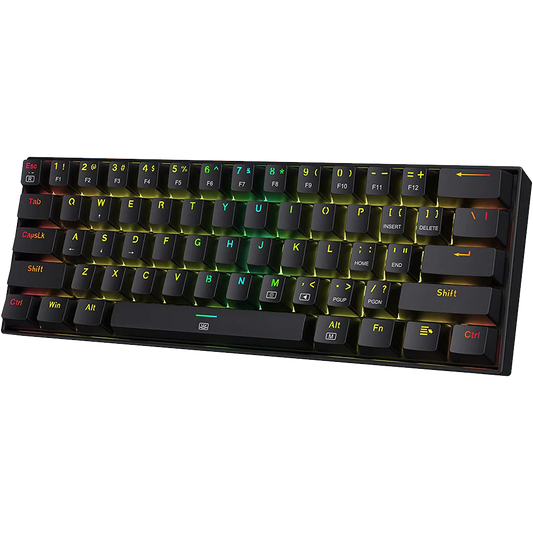
- Keyboard Layout: This refers to the size. A "Full-size" keyboard has a number pad. A "TKL" (Tenkeyless) removes the number pad to save space. A "75% or 65%" layout is even smaller but keeps the arrow keys.
- Connectivity: Do you want a cleaner desk or a reliable zero-lag? The answer to this will tell you whether to go with a wireless Bluetooth connection or a wired USB cable.
- Hot-swappable PCB: This is a vital utility feature. A hot-swappable keyboard allows you to pull out the switches and plug in new ones. It makes the keyboard much easier to repair or upgrade without using a soldering iron.
- Customization Software: Some boards come with software that lets you remap keys or create shortcuts (macros). This is very useful for complex workflows. Read detailed capabilities of Customization Software.
2. Preference Parameters
These are the features that make the keyboard "yours" and change the typing feel.
- Switch Type: This is the most important choice. Do you want Linear, Tactile, or Clicky switches? Read more about Mechanical Switches. If you play competitive FPS, there is a fourth option worth understanding first: Hall effect and magnetic switches, where the actuation point is set in software.
- Acoustics and Sound: Some people like a deep, muted "thud" while others like a high-pitched "clack." The materials inside the case change this acoustic profile.
- RGB Lighting: Some people love bright, colorful lights under the keycaps, while others prefer a simple white light or no light at all.
- Metal Knob: Many modern keyboards include a metal knob in the corner. This is usually used to quickly control volume or screen brightness. Check Aula F75.
- Keycap Material: High-quality plastic (like PBT) feels textured and doesn't get "shiny" over time like cheaper keyboards.
Note that every utility-dependent parameter eventually becomes a preference parameter once you analyze your typing habits in depth. For example, a designer might choose a small layout for "utility" to keep their mouse closer. But actually, they might prefer it because they like their desk to look minimal.
Choosing a Mechanical Keyboard Based on Your Lifestyle
At VRKAA, we see many different types of people looking for their perfect match. Here is what different customers usually look for based on lifestyle.
For Students
Students usually need something portable and strictly under tight budget. A 65% layout is great because it fits easily in a backpack. Most of users prefer linear switches for a silent, smooth experience that won't distract others.
For Programmers
Programmers spend the most time typing. Comfort and shortcuts are key. Many developers prefer a 75% mechanical keyboard because it keeps the "F-keys" but takes up less space. Tactile switches are very popular here because the "bump" helps you know exactly when a key has been pressed. Which can reduce coding errors.
For Designers and Creatives
If you work in video editing or graphic design, look for a board with a metal knob. Being able to turn a physical dial to scrub through a timeline or change brush sizes is a game-changer. Designers also care a lot about the RGB and keycaps color to match their aesthetic studio setup.
For Gamers
Gamers usually prioritize speed and customization software. Linear switches are the gold standard for gaming because they are fast and consistent for rapid key presses. Having a hot-swappable board is also great for gamers.

Choosing a mechanical keyboard is a personal journey. Start by deciding which layout fits your desk, then pick a switch that matches the sound and typing feel. Don't worry about getting the "most expensive" one right away. As long as you choose a board that is hot-swappable, you can always change the parts later as your tastes evolve. If adjustable actuation matters more to you than swapping switches, our shortlist of the best Hall effect keyboards in India is the better starting point.