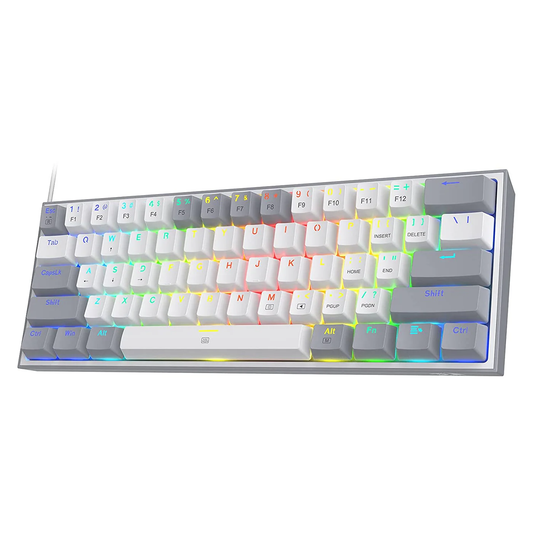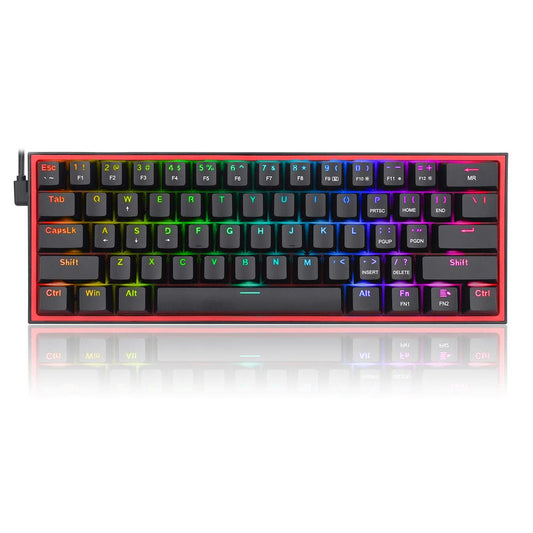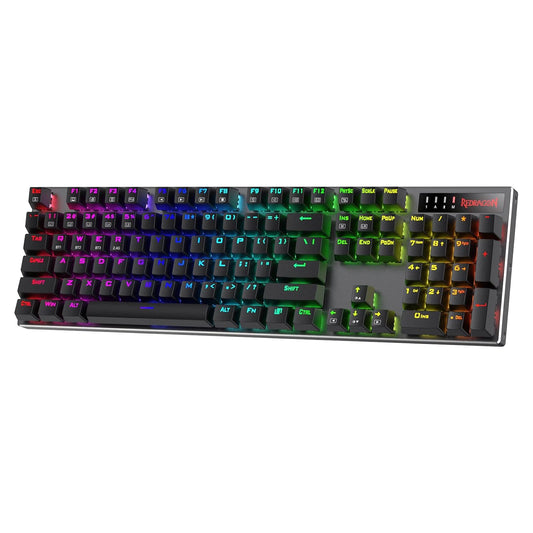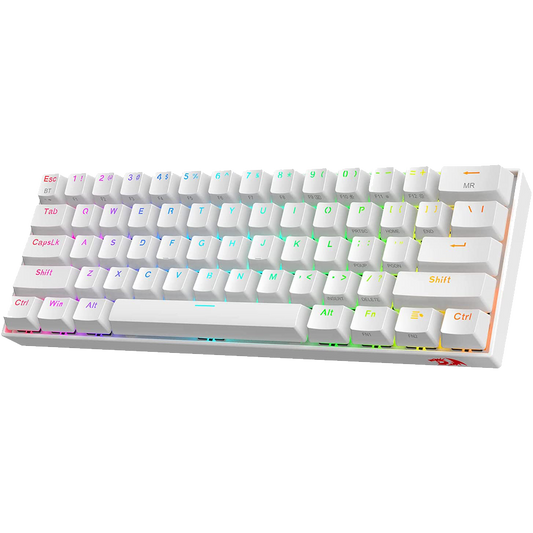

Programming places specific demands on a keyboard that casual typing does not. You are typing continuously for hours. The feedback from each keystroke matters. So does the sound, because many Indian developers work in shared flats, co-working spaces, or office environments where a loud clicky keyboard is a problem. And so does the layout, because shortcuts, bracket pairs, and symbol keys need to be easy to reach.

This guide covers what to look for in a programming keyboard, which switch types work best for writing code, and the best mechanical keyboards for programmers available in India across three budget ranges: under ₹3,000, ₹3,000 to ₹7,000, and ₹7,000 and above.
More than 55% of our customers are either students or individuals who use keyboard for programming
What Makes a Keyboard Good for Programming
Five factors separate a good programming keyboard from a generic one.
• Switch feel: Programmers generally prefer switches with tactile feedback. A tactile bump at the actuation point lets you know a keystroke registered without bottoming out, which reduces finger fatigue during long sessions. Tactile switches like Gateron Brown, Gateron G Pro Brown, or Cherry MX Brown are the most common recommendation among developers on forums like r/mkindia. If not tactile switches second best choice happens to be Linear switches if not first. Popular examples are Cherry MX Red, Leobog Reaper, and Leobog Graywood.
• Noise level: If you work in a shared space, clicky switches (Blue variants) are not practical. Tactile or linear switches with sound-dampening foam are better suited to office environments. Some programmers use O-rings on their keycap stems to reduce bottom-out noise further.
• Keycap quality: Symbol keys (brackets, semicolons, pipes, backticks) see heavy use in programming. Keycaps with PBT plastic hold legends longer than ABS and resist shine under heavy use. Doubleshot PBT keycaps are ideal. At budget price points, ABS is standard but serviceable.
• Form factor: TKL (87-key, no numpad) is popular among programmers for the reduced desk footprint. It also keeps the mouse closer to the home row. If you use a numpad for numerical input, a full-size or separate numpad solution is worth considering.
• Hot-swap support: The ability to change switches without soldering lets you experiment with switch feel over time. For programmers who invest in a keyboard for daily work, hot-swap sockets are a practical long-term feature.
Switch Types for Programming
The three main mechanical switch categories each have a different effect on long coding sessions.
Tactile Switches
Tactile switches produce a noticeable bump at the actuation point without an audible click. This bump provides physical confirmation that the keystroke registered. For programmers, this reduces the tendency to bottom out every keypress, which in turn reduces finger fatigue. Common tactile options available in India include Gateron Brown (45 gf, 2.0 mm pre-travel, 4.0 mm total travel), Cherry MX Brown (45 gf, 2.0 mm pre-travel), and Outemu Brown at lower price points. Reddit users on r/mkindia frequently describe Gateron Brown as the smoothest tactile switch available under ₹8,000 in India.
Linear Switches
Linear switches have a smooth, consistent keystroke with no bump and no click. They are faster for repeated inputs but provide no tactile confirmation of actuation. Some programmers prefer linear switches for the consistent feel, particularly when using keyboards with sound-dampening foam. Leobog Reaper (45gf, 1.8 mm pre-travel), Leobog Graywood (40gf, 1.5 mm pre-travel), Gateron Red (45 gf, 2.0 mm pre-travel) and Gateron Yellow (35 gf, 2.0 mm pre-travel) are both available in India and are the smoothest linear options in the mid-range.
Clicky Switches
Clicky switches produce both a tactile bump and an audible click. Cherry MX Blue (50 gf, 2.2 mm pre-travel) and Outemu Blue are the most common. For programming in a private space, clicky switches can improve typing rhythm. For shared environments, the 60 to 70 dB click noise makes them impractical. Most programmers who work in offices or shared apartments avoid clicky switches as a result.
Best Programming Keyboards Under ₹3000
At this price, you are working with Outemu switches and ABS plastic. The trade-off is acceptable for a first mechanical keyboard or a secondary setup.
Redragon K552 Kumara (TKL, Outemu Brown)
|
Feature |
Detail |
Why It Matters for Programming |
|
Form Factor |
TKL 87-key |
Reduces desk footprint, keeps mouse close |
|
Switches |
Outemu Brown (tactile) |
45 gf, 2.0 mm pre-travel, 4.0 mm total travel |
|
Build |
ABS plastic, metal top plate |
More rigid than all-plastic budget boards |
|
Backlighting |
Single-colour red LED |
Not distracting during coding sessions |
|
Price (approx.) |
₹1,800 to ₹2,200 |
Best value TKL in India under ₹2,500 |
The K552 with Outemu Brown is a practical choice for programmers on a tight budget. The metal top plate adds rigidity, and the TKL layout keeps the desk footprint compact. The Outemu Brown switches are less smooth than Gateron equivalents but adequate for daily coding use.
Best Programming Keyboards: ₹3000 to ₹7000
This range is where the options improve significantly. Hot-swap sockets, better stabilisers, and gasket-mount designs become accessible.
Aula F75 (Gasket Mount, Hot-Swap, 75% Layout)
The Aula F75 is one of the most recommended keyboards on r/mkindia for buyers in the ₹4,500 to ₹5,500 range. It offers a gasket-mount design, hot-swap PCB, and software-configurable RGB. The 75 percent layout retains function keys and navigation cluster while eliminating the numpad, making it well suited for programming use.
|
Feature |
Detail |
Why It Matters for Programming |
|
Form Factor |
75% (84-key) |
Function row and arrow keys retained |
|
Gasket mount |
Softer typing feel, reduced key chatter |
|
|
Hot-Swap |
Yes, 5-pin compatible |
Switch changes without soldering |
|
Switches (stock) |
Leobog Switches (linear) |
Replaceable via hot-swap |
|
Wired USB-C |
Detachable cable |
|
|
Price (approx.) |
₹4,500 to ₹6,500 |
Varies by variant |
• Pros: Gasket mount at this price is an exceptional value. Hot-swap support lets you change switches later. 75 percent layout is practical for programming.
• Cons: Software for RGB customization requires Windows. Foam padding adds to the weight. Stock switches are serviceable but not exceptional.
Vrkaa's customer says "I am glad I chose Aula F75. Didn't knew it sound so good irl"
Best Programming Keyboards Above ₹7000
Above ₹7,000, the differences are in materials, acoustics, and build precision rather than switch functionality. The keyboards in this range are for programmers who spend six or more hours daily at the keyboard and want a setup that lasts several years.
Keychron Q2 (Aluminium, Gasket Mount)
The Keychron Q2 is a 65 percent keyboard with a full aluminium body, gasket-mount design, and south-facing PCB. It is fully assembled and ships with Gateron G Pro switches. The aluminium frame gives it a substantial 1.4 kg weight, which means the keyboard does not shift during fast typing. The south-facing RGB position reduces keycap legend shine interference. This keyboard is targeted at programmers who want a premium, long-term setup.
|
Feature |
Detail |
Why It Matters for Programming |
|
Form Factor |
65% (68-key) |
Arrow keys included, no function row |
|
Frame |
CNC aluminium |
1.4 kg, significantly reduces desk movement |
|
Mount Type |
Double gasket |
Among the softest typing feel in this range |
|
Switches |
Gateron G Pro Brown/Red (hot-swap) |
Gateron G Pro rated at 50M keystrokes |
|
Connectivity |
USB-C wired only |
No wireless option |
|
Price (approx.) |
₹9,000 to ₹12,000 |
Varies by colour and switch variant |
• Pros: Full aluminium build. Double gasket mount is among the most comfortable typing experiences in this price. Hot-swap PCB included.
• Cons: No wireless. 65 percent layout means no function row, which may require adjusting shortcuts. Heavy for portability.
Who it suits: Programmers with a permanent desk setup who want a keyboard that will last 5 to 10 years without functional compromise.
Frequently Asked Questions
Is a mechanical keyboard better than a membrane keyboard for coding?
Yes, for most programmers. Mechanical switches provide tactile or audible confirmation that a key registered, which reduces missed keystrokes. The consistent actuation force also reduces finger fatigue during long sessions. The improvement is most noticeable when switching from a low-quality membrane keyboard to a tactile mechanical.
Which switch is best for programming in India?
Tactile switches, specifically Gateron Brown or Cherry MX Brown, are the most consistent recommendation for programming. They provide tactile feedback without the noise of clicky switches, which makes them suitable for office and shared spaces. At lower budgets, Outemu Brown is a functional alternative.
Should I use a TKL or 75 percent keyboard for programming?
Both layouts work well. TKL (87-key) retains the full function row and navigation cluster with no numpad. A 75 percent layout (84-key) retains the same keys but in a more compact arrangement. The 75 percent layout is better for desk-space-limited setups. If you rely on the numpad, use a full-size keyboard or add a separate numpad.
Is wireless a good option for a programming keyboard?
Wireless is practical if you switch between devices. For a fixed desk setup, wired is more reliable and eliminates the need to manage battery levels. If you use both a laptop and a desktop at the same desk, a Bluetooth keyboard with multi-device pairing (like the Keychron K2) reduces the need for KVM switches.
What keycap material should I choose for a programming keyboard?
PBT plastic is more durable than ABS for heavy symbol-key use. PBT keycaps resist shine and wear better. At budget price points, ABS is standard but the legends on frequently used keys will fade with time. If you plan to keep a keyboard for 3 or more years, PBT keycaps are worth paying extra for.
Finding the Right Keyboard for Your Coding Workflow
The best programming keyboard is the one you can type on for several hours without discomfort. Switch type matters most. Start with a tactile switch (Gateron Brown or Outemu Brown depending on your budget) unless you are certain you prefer linear. Form factor is a personal preference: TKL or 75 percent suit most programmers. Build quality scales with budget.
If you are buying your first mechanical keyboard for coding, the Redragon K552 with Outemu Brown is a low-risk starting point. If your setup is permanent and you spend most of your working day at the keyboard, the Aula F75 or Keychron K2 at the mid-range will serve you for years.